Download The Realm
Get into The Realm in minutes using the Digital Alchemy Launcher.
Available Game Servers
Despothes Grove
Free
The classic Realm experience. No subscription required — jump in and start your adventure today.
Mabons Gamble
Subscription Required
The premium Realm experience with expanded content and regular updates. From $4.49/month.
Once downloaded, install the launcher and open it by clicking on the “Digital Alchemy Studios Launcher” icon in your Start Menu or on your desktop.
Select the game client you would like to install from the left side and then click “Play” on the game launcher window.
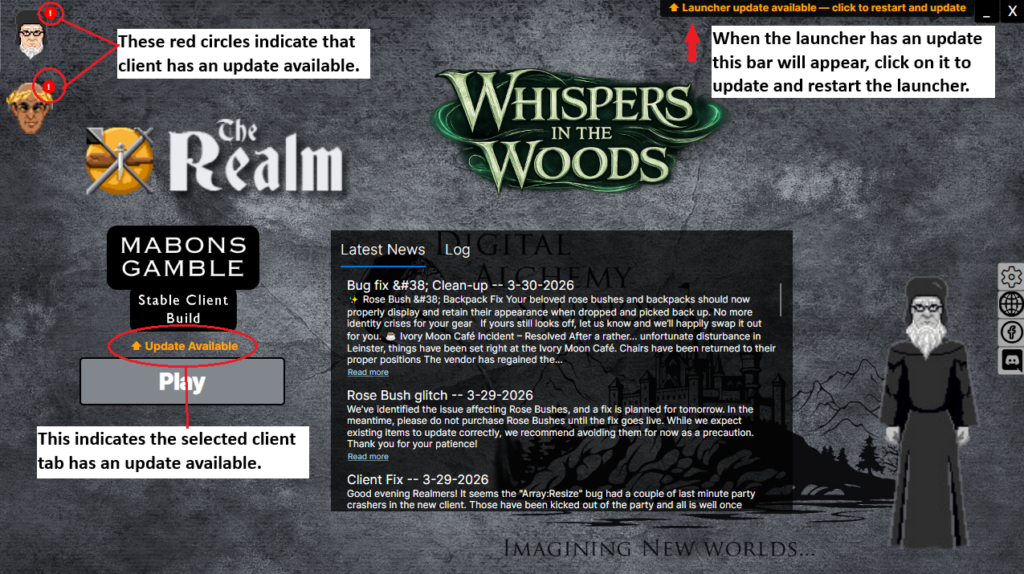
This new launcher has a lot of new features.
- Self Updating
- The launcher can now update itself eliminating the need for you to manually download and install an update to our launcher.
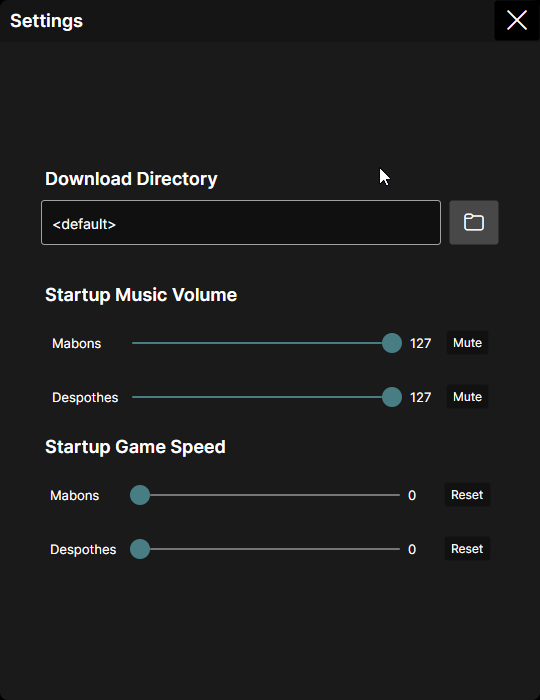
- Client settings menu
- You can now choose some settings before launching the game such as what speed setting to use as well as startup music volume.
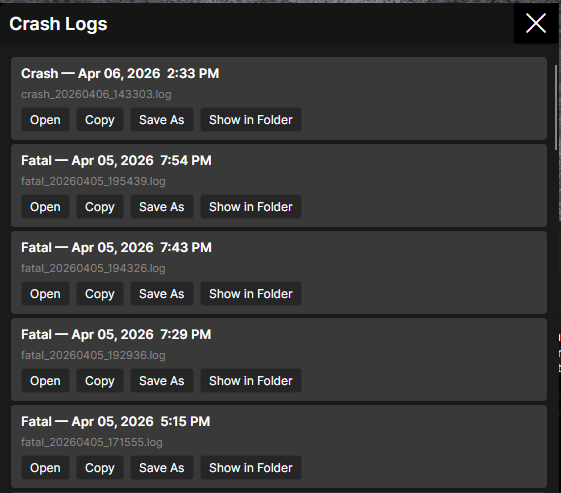
- Crash logs quick access
- There is now a button under the play button to quickly access the latest crash logs. We hope you never crash but when you do we want it to be easy to get us the info so we can hopefully squash the bug you experienced quickly!
Troubleshooting
Windows Defender warning on install?
This is a known false positive. Click More Info then Run Anyway to proceed. We are working with Microsoft to resolve this.
Launcher blocked by Windows 10 Controlled Folder Access?
Go to Windows Security → Virus & Threat Protection → Ransomware Protection and add the launcher installation folder as an allowed app, or temporarily disable Controlled Folder Access to verify this is the cause.
Fullscreen mode distorts the UI?
Use windowed or borderless windowed mode. Fullscreen scaling issues are a known client limitation currently under investigation.
Still having trouble? Visit the Support page or email cs@realmserver.com.